
Turn every WhatsApp chat into a trackable ticket
WA Desk automatically converts each conversation into a support ticket, with an ID, status, priority, owner and SLA, so nothing gets lost and nothing gets forgotten.
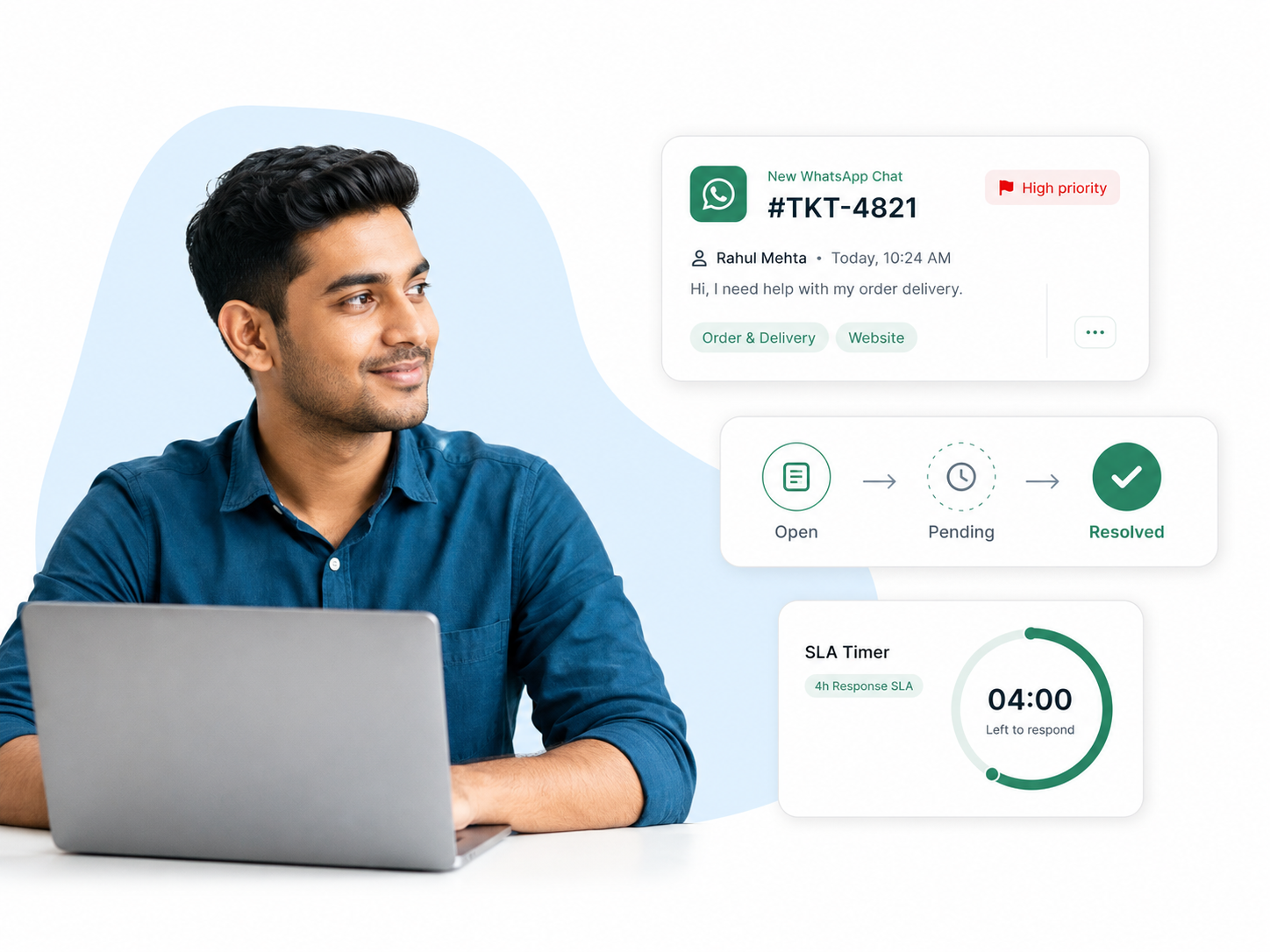
Conversations get lost. Tickets don’t.
A chat thread has no status, no owner and no deadline. A ticket has all three.
Without ticketing
- Requests live in chat threads with no status.
- You forget which issues are still open.
- Urgent and trivial requests look the same.
- Nothing is measured, so nothing improves.
With WA Desk ticketing
- Every chat becomes a ticket with a unique ID.
- Clear statuses: Open → Pending → Resolved.
- Priorities and SLAs flag what matters.
- Full history and reporting on every ticket.
Built to keep every ticket on track
Auto-ticket creation
Every new conversation becomes a ticket, no manual triage.
Priorities & statuses
Flag urgent tickets and always know what’s open or resolved.
Smart routing
Auto-assign tickets to the right team or agent by rules.
Tags & categories
Label tickets, filter fast and spot recurring trends.
Every conversation becomes a ticket, automatically
The moment a customer messages, WA Desk opens a ticket with its own ID, status and SLA. Your team starts from an organized queue instead of a noisy chat list.
- A unique ticket ID for every conversation
- Status set from the first message
- Priority and SLA attached on creation
- Zero manual triage to get started
Route every ticket to the right team
Rules-based routing sends each ticket to the right department or agent automatically, so customers reach the right expert without being bounced around.
- Keyword-triggered department routing
- Team and agent-level assignment rules
- Round-robin and workload balancing
- Fallback rules for unmatched tickets
A complete timeline for every ticket
Every message, note, assignment and status change lives in one timeline. Any agent can pick up where another left off, without asking the customer to repeat themselves.
- Full message history on every ticket
- Internal notes in the same timeline
- Assignment and status change log
- Searchable across all tickets
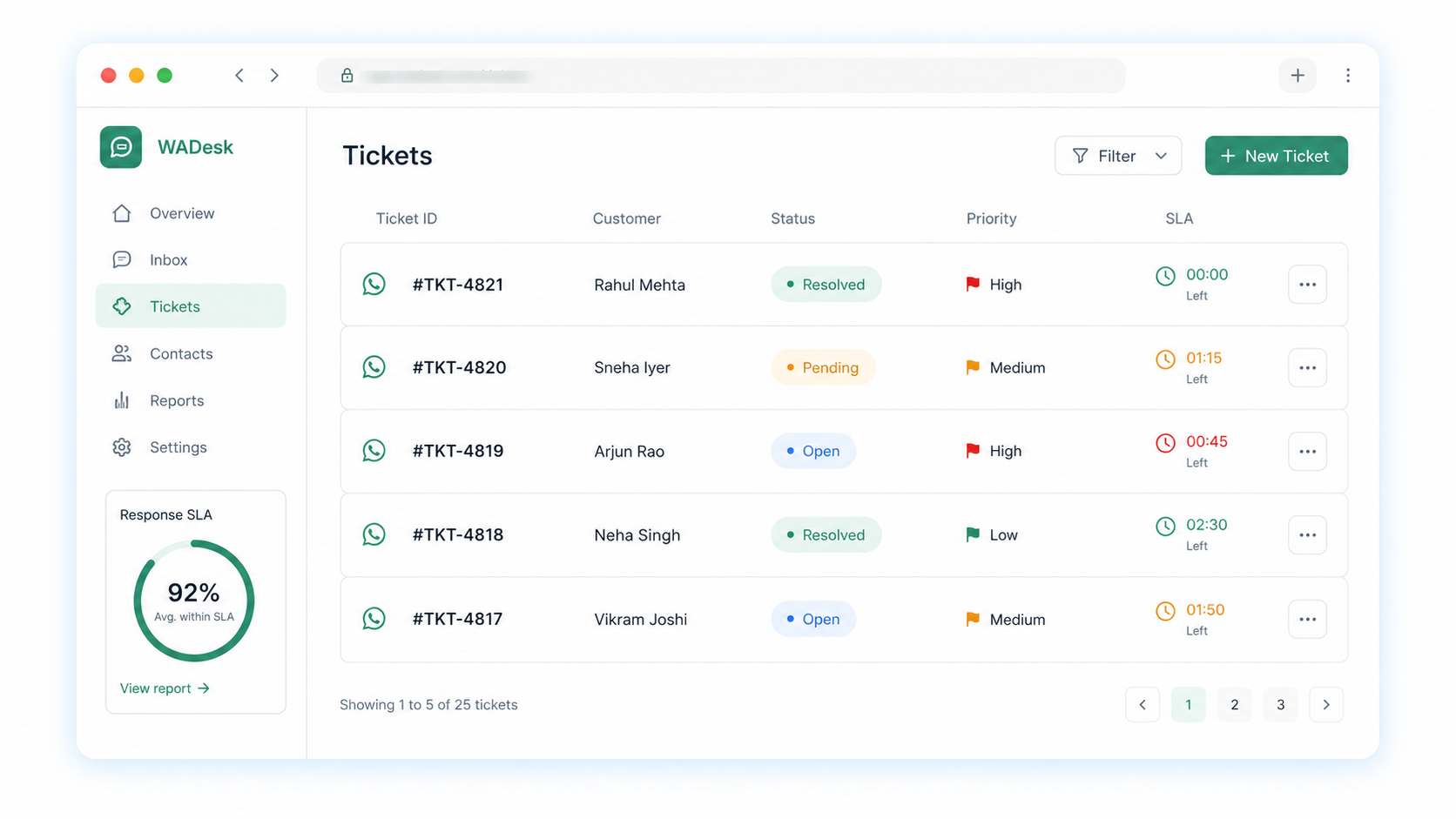
Your whole ticket queue, at a glance
Statuses, priorities, owners and SLA timers, everything your team needs to resolve faster, in one view.
From message to resolved in three steps
1. Connect your number
Link your WhatsApp Business number, no new SIMs or phones.
2. Chats become tickets
Every conversation is auto-converted, routed and prioritized.
3. Track to resolution
Move tickets through statuses and close them within SLA.
Ticketing that fits your industry
However your team handles requests, tickets keep every one accountable.
Ticketing questions
What teams ask before moving WhatsApp support to ticket-based workflows.
Ask us in a demoExplore more: Team inbox · SLA management · Pricing
Never lose track of a customer issue again
See WA Desk Smart Ticketing live, and we’ll help you get set up on your own number.